
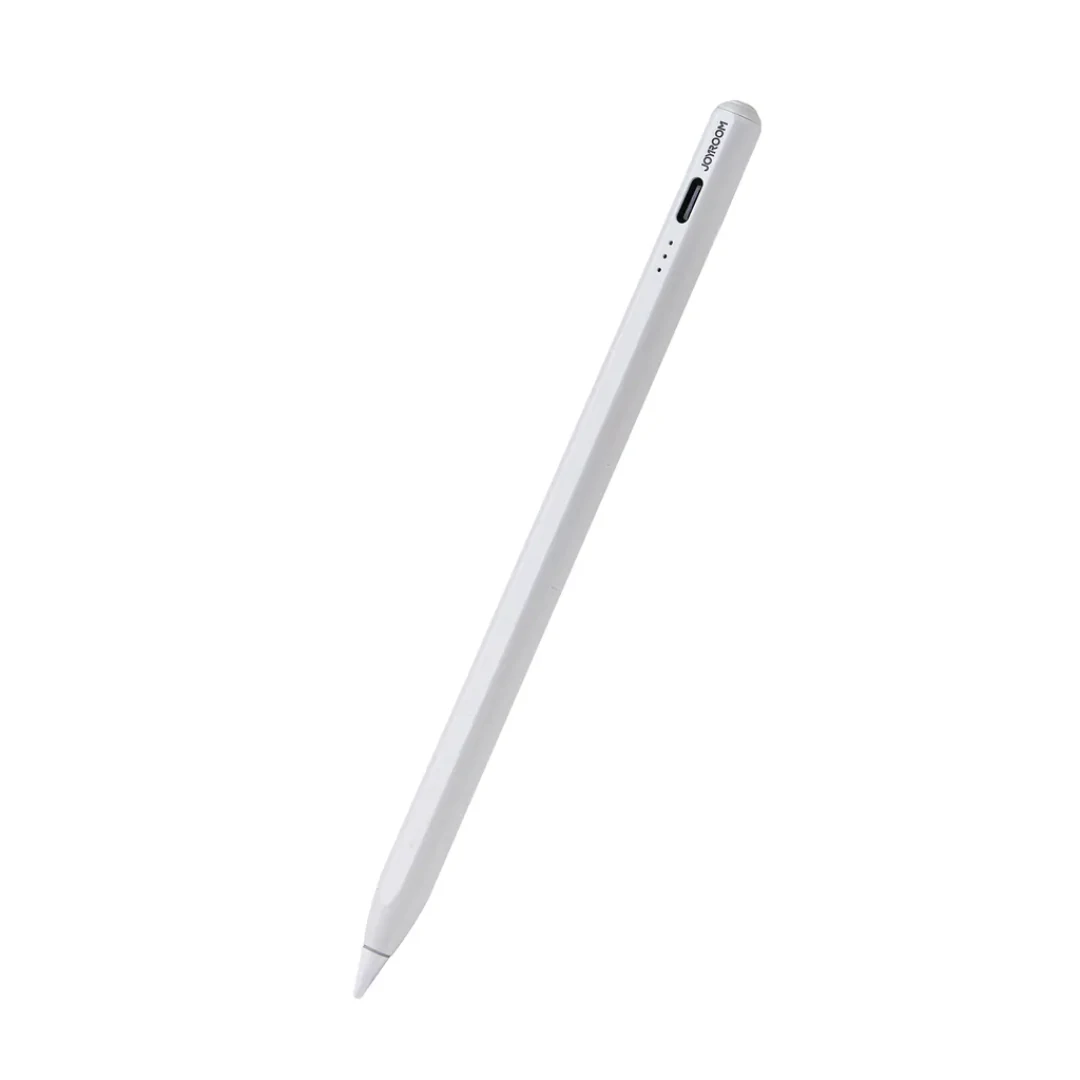
The Joyroom accessories shelf at CairoVolt currently holds the Joyroom JR-X15 Pro stylus for iPad: an active capacitive pen that works directly through the iPad digitiser with no Bluetooth pairing, with vendor-stated tilt sensitivity, magnetic attachment to the iPad side rail, a three-dot LED charge indicator, and charging through a USB-C port at the top of the barrel.
Three things to be clear about before buying:
•The magnet parks the pen, it does not charge it. The stylus snaps to the iPad rail so it does not get lost, but charging still happens over USB-C. That is the opposite of Apple Pencil 2, which genuinely charges on the rail.
•Tilt yes, pressure no. Joyroom lists tilt sensitivity. Pressure sensitivity is absent — iPadOS reports it only for Apple Pencil-class hardware, so no third-party pen in this class provides it. Right for notes, PDF mark-up, signing and line art; wrong for pressure-driven painting.
•iPad only. This is not an S-Pen alternative and is not designed for Samsung, Xiaomi or Windows tablets.
•The magnet parks the pen, it does not charge it. The stylus snaps to the iPad rail so it does not get lost, but charging still happens over USB-C. That is the opposite of Apple Pencil 2, which genuinely charges on the rail.
•Tilt yes, pressure no. Joyroom lists tilt sensitivity. Pressure sensitivity is absent — iPadOS reports it only for Apple Pencil-class hardware, so no third-party pen in this class provides it. Right for notes, PDF mark-up, signing and line art; wrong for pressure-driven painting.
•iPad only. This is not an S-Pen alternative and is not designed for Samsung, Xiaomi or Windows tablets.
Before you buy: open Settings → General → About and read the Model Number (it starts with A). Match it against the carton compatibility table, reproduced in full on the product page. The table covers the 2018–2021 iPad generations; newer hardware is not on it.
CairoVolt warranty: coverage, duration and replacement follow the product page and warranty policy. Delivery timing is estimated after address confirmation, with cash on delivery available for eligible orders. If you need a USB-C cable or charger for the pen, see Joyroom cables and Joyroom chargers.
Smart Buying Guide
How to choose an iPad stylus you will not return
1.Start with the A-number, not the device name. "iPad Air" alone spans generations that are on this list and generations that are not. Read the number in Settings → General → About.
2.Decide what you actually do: writing or pressure painting? For notes, annotation, signing and line art, an active capacitive pen does the job. For pressure-curve brushwork, you need an Apple Pencil and there is no substitute.
3.Ask whether the magnet charges or just parks. In this class it usually only parks. Read the charging port in the specifications.
4.Look for replaceable tips. The tip is the part that wears, and a worn tip is what scratches a screen protector. A pen with available threaded tips is cheaper over its life.
5.Do not assume Android support. Active pens are tuned to a specific digitiser; an iPad pen is not an S-Pen substitute.
6.Invoice and warranty. Keep the CairoVolt invoice and check duration and terms on the product page and policy.
iPad compatibility by A-number — the table printed on the carton
| iPad family | Supported A-numbers |
|---|---|
| iPad Pro 12.9-inch | A2229 · A2069 · A2232 · A2233 · A1876 · A2014 · A1895 · A1983 · A2378 · A2379 · A2461 · A2462 |
| iPad Pro 11-inch | A1980 · A2013 · A1934 · A1979 · A2228 · A2068 · A2230 · A2231 · A2377 · A2301 · A2459 · A2460 |
| iPad Air 3rd & 4th gen | A2152 · A2123 · A2153 · A2154 · A2316 · A2324 · A2325 · A2072 |
| iPad 6th, 7th, 8th & 9th gen | A1893 · A1954 · A2197 · A2200 · A2198 · A2270 · A2602 · A2603 · A2604 · A2605 |
| iPad mini 5th & 6th gen | A2133 · A2124 · A2126 · A2125 · A2567 · A2568 · A2569 |
Note: the 8th generation is listed by its Wi-Fi model A2270 only; the cellular 8th-gen models (A2428/A2429/A2430) are the same iPad but are not printed in the table.
Not on the printed list: iPad 10th generation, iPad Air with M1/M2, iPad Pro with M2/M4, and iPad mini 7. Ask us before ordering for one of those rather than assuming newer hardware is automatically covered.
Specifications of the model listed here: JR-X15 Pro
| Item | JR-X15 Pro (active capacitive stylus) |
|---|---|
| Pen type | Active capacitive — no Bluetooth pairing, no MFi certification |
| Charging | USB-C at the barrel top — the magnet does not charge the pen |
| Battery | 130mAh (Joyroom); some reseller pages print 125mAh |
| Runtime | ~10 hours (Joyroom); other pages print 9 or 12 hours |
| Charge time | 15 minutes (Joyroom); "Pro" listings print ~30 minutes |
| Tilt sensitivity | Yes — vendor-stated, behaviour depends on the app |
| Pressure sensitivity | No — iPadOS reserves it for Apple Pencil-class pens |
| Indicator | Three LED dots for charge level |
| Tips | Threaded and replaceable; the carton prints "×4" while the vendor slide says "2 spare pen tips" — count them on arrival |
| Size and weight | 166 mm × Ø9 mm · 15 g (Joyroom) |
| Identifiers | MPN: JR-X15 (carton print) · Store SKU: JX01 |
Note: this is the only model currently listed in this category. Every figure above is attributed to its publisher — CairoVolt has not bench-tested this model and presents no number here as its own measurement.
Frequently Asked Questions
Does the Joyroom stylus charge when I stick it to the iPad?▼
No. The magnet only holds the pen on the iPad side rail for storage and anti-loss; charging happens through the USB-C port at the top of the barrel. Apple Pencil 2 charges on the rail — this pen parks on it.
Does the Joyroom stylus have pressure sensitivity like an Apple Pencil?▼
No. Joyroom lists tilt sensitivity, not pressure, and iPadOS reports true stylus pressure only for Apple Pencil-class hardware. No third-party active capacitive pen in this class can provide it, whatever a listing claims.
Will it work on a Samsung or Android tablet?▼
No. This is an active pen built for the iPad digitiser, and the manufacturer lists no Android or Windows tablet support. It is not an S-Pen alternative.
I have a 9th generation iPad — will the pen work?▼
The 9th generation iPad (A2602, A2603, A2604, A2605) is on the compatibility table printed on the carton. Confirm your model number in Settings → General → About before ordering, because marketing names overlap and A-numbers do not.
Does it work on the iPad 10th generation or an M2 iPad Air?▼
Those are not on the compatibility table printed on the carton, and neither are the M2/M4 iPad Pro or the iPad mini 7. Ask us before ordering rather than assuming newer iPads are automatically covered.
How often will I need to replace the tip?▼
It depends on how hard you press, the type of screen protector, and how clean the screen is. The practical signal is not elapsed time — replace the tip as soon as writing starts to feel scratchy or sounds louder than usual, because a worn tip is what starts marking the screen.
How much does a Joyroom iPad stylus cost in Egypt?▼
The live price is shown on the product card and page and can change with stock and promotions. Compare the charging method (USB-C or magnetic), whether tilt is listed, and the iPad compatibility list before comparing price alone, then review the CairoVolt warranty written for the product.
How does it differ from the Anker Pencil Pro?▼
The main difference is how they charge. The Anker Pencil Pro A7166 charges wirelessly by magnetic attachment to the iPad rail and has no USB-C port, while the Joyroom JR-X15 Pro charges over USB-C and uses its magnet only for storage. Both list tilt and neither lists pressure sensitivity. Check each product page for current price and compatibility.